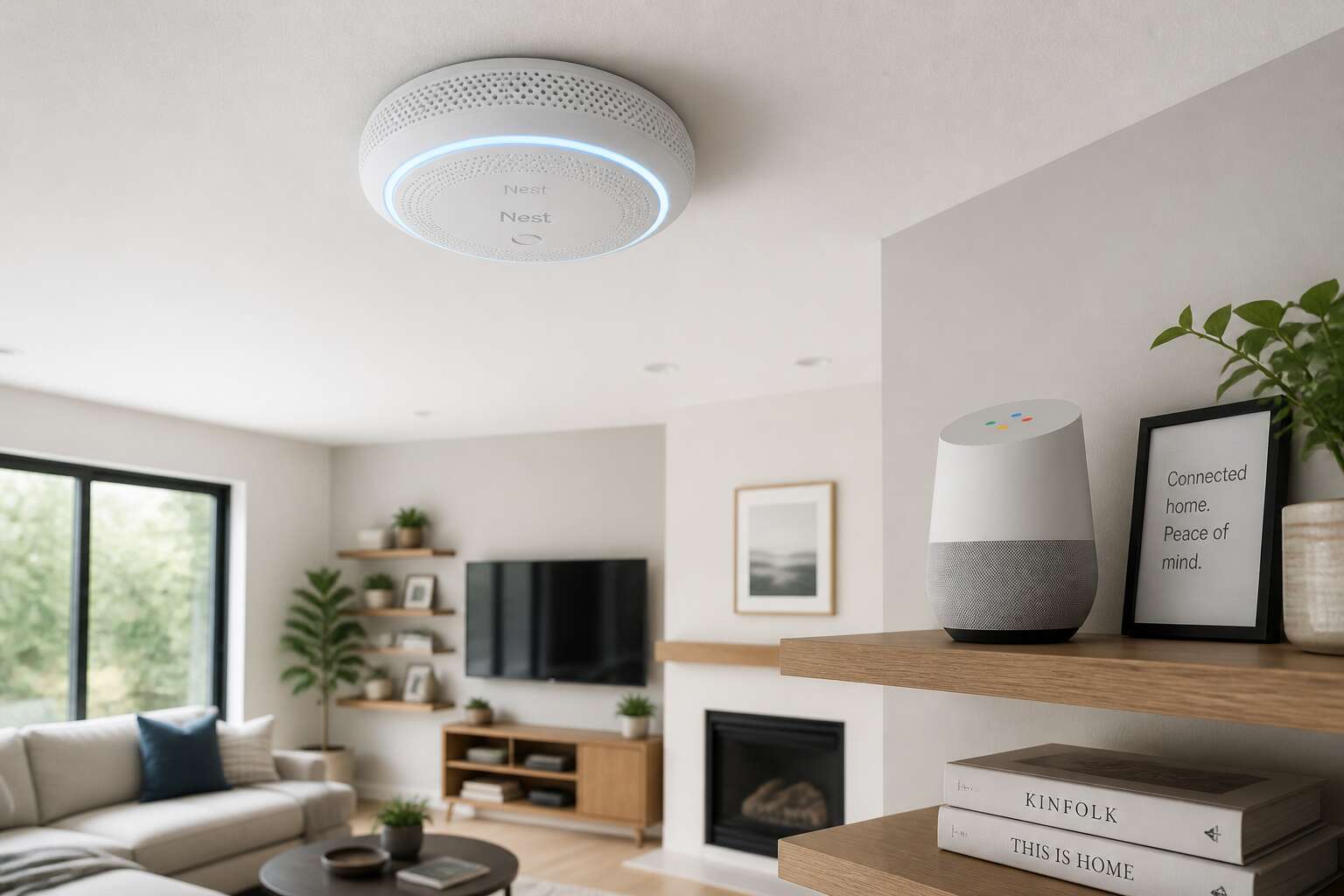
Understanding Google Home Compatible Smoke Detectors
What Does Google Home Compatible Mean?
Most homeowners discover smoke damage through smell, not sound. That delay costs South Africans millions every year. I have learned that smart detector compatibility with Google Home changes how quickly you react.
A unit carrying the Google Home badge connects directly to your Wi-Fi network and registers with the Home app. Then the notification arrives before the smell does.
- Instant phone alerts when the alarm activates
- Voice announcements from every linked speaker
- Silence commands for cooking mishaps
That integration relies on encrypted messaging protocols. Your alarm forms a mesh network with other devices, relaying warnings through the whole house. This is what smoke detectors google home setups truly deliver: awareness beyond one room.
Benefits of Smart Smoke Detectors
Let’s be honest about the threat of fire in South Africa. Response times in many suburbs can stretch past ten minutes, a window where a small electrical fault can become a roaring inferno. Traditional beeping alarms are reactive, but they only work while you are inside to hear them. This is where the true value of a connected system becomes clear, transforming a simple sensor into a guardian that reports to you directly.
The most profound shift is the delivery of an immediate alert to your pocket. You could be in a meeting in Sandton or collecting the kids from school, and your phone will vibrate with a specific warning, not a generic notification. This is the core advantage of the best smoke detectors Google Home devices pair with, creating an ecosystem that communicates with you instantly.
These units integrate into your household network to provide a layered warning system. Consider the practical sequence of events:
1. A sensor is triggered by smoke in the passage.
2. The unit sends a notification directly to your smartphone and the Google Home app.
3. Simultaneously, every compatible speaker in the house announces the specific room, ensuring loud audio coverage throughout the property.
This kind of specific voice announcement is invaluable for large homes. It pinpoints the danger zone, saving you precious time in the dark. Furthermore, the ability to hush the alarm from your phone is a small convenience that prevents frustration during a minor cooking mishap, rather than disabling safety measures entirely.
Ultimately, these devices provide a situational awareness that was previously impossible. They turn your house from a passive structure into an active participant in your family’s safety, giving you the oversight needed to act decisively, no matter where you are.
How They Connect to Google Home
Hooking a detector into your broader network is less about technical gymnastics and more about establishing a reliable line of communication. The underlying magic is the Wi-Fi handshake. When you install a compatible device, it syncs to your home network and registers itself within the Google Home app, much like a new speaker or display.
Once the bond is established, the system operates on a chain of command. Your Google Nest speakers or displays become the vocal cords for the sensor, translating a silent signal into a spoken warning. This connection is the difference between a passive alarm and an active notification system. Consider the physical steps involved in a typical setup:
1. Power up the detector and confirm its status light is responsive.
2. Open the Google Home app and tap the add device icon.
3. Scan the QR code on the device to begin the pairing sequence.
4. Assign the detector to the correct room for accurate voice announcements.
This digital tether allows the smoke detectors google home system to push critical alerts to every corner of your property. The result is a cohesive unit where the sensor acts as the trigger, but the intelligence is shared across your entire ecosystem. It is a practical move away from solitary alarms.
Top Features to Consider
Voice Alerts and Announcements
The distinct chirp of a dying smoke detector battery remains one of domestic life’s most persistent irritants. Voice alerts and announcements change that interaction entirely. With smoke detectors google home, you are not limited to a generic siren. The system tells you precisely where the danger originated, whether it is a kitchen mishap or a smouldering bedroom mattress.
A quick spoken update from your Google Home can distinguish between a slow smoulder and a fast-flaming fire. This allows you to respond with the appropriate level of urgency. For South African households prone to load shedding, this clear communication proves invaluable:
1. It identifies the specific room triggering the alarm.
2. It announces the danger level in plain English.
3. It offers a status check without pulling out your phone.
This direct verbal feedback removes guesswork during a stressful moment.
Mobile Notifications
Mobile notifications keep you tethered to your home, even when you are miles away. For South African households, where load shedding disrupts routines, a push alert can arrive while the Wi-Fi router runs on inverter backup. This means the status of your smoke detectors google home reaches your pocket, no matter what the grid is doing.
In my experience, the notification should deliver the essential facts without requiring you to open an app. It needs to include:
- The time and date of the event.
- The specific smoke detector triggered.
- A snapshot of the alarm history for the past hour.
This level of detail turns a simple ping into an accurate record. You can verify the situation from the office or the queue at the shops. The notification also proves your smoke detectors google home are functioning, so you can address a recurring false alarm before it becomes a nuisance.
Self-Testing and Battery Monitoring
Self-testing changes the relationship between a homeowner and their safety devices. Instead of wondering whether the sensor still works, you receive proof. A smoke detectors google home that runs internal diagnostics on a schedule, and reports the results, removes the guesswork. That matters in South Africa, where load shedding tests every appliance in surprising ways.
Battery monitoring adds a separate layer of awareness. The system tracks voltage trends and flags weakness before failure, not after. A depleted battery at 2am becomes a preventable event rather than a crisis. This foresight is a subtle form of control, something South African households value when the grid becomes unpredictable.
The psychological payoff is quiet confidence. You stop checking and start trusting. The smoke detectors google home system handles its own health checks:
- Weekly sensor verification
- Voltage trend analysis
- Low battery alerts with location
Interconnectivity Between Units
Consider the scenario where a fault starts in the garage while you sit three rooms away. A standalone detector will shriek only in that space, and your ears might never catch it. Interconnectivity between units fixes this. When one smoke detectors google home device senses smoke or heat, it pushes the signal to every linked unit in the house. Seconds later, the entire property knows, not just the room with the problem.
This matters for larger South African homes and properties with separate structures. A fire in a staff cottage or a granny flat becomes a main house alert instantly. You get a coordinated response instead of a lonely siren.
- All units sound together, so no zone remains silent.
- The system identifies which unit triggered first, saving you from aimless searching.
- Google Home shows the alarm location on your phone screen.
Without this coordination, your smoke detectors google home setup remains a group of individual sentries with no way to raise the alarm beyond their own corners. Linked smoke detectors google home units turn that scattered collection into a single, coherent warning system.
Integration with Other Smart Devices
Integration is the moment your smoke detectors google home stops being a lone screamer and becomes the conductor of your household. With the right pairing, a detector that catches a wisp of smoke can turn on every light in your passageway, unlock your security gate, and shut down the air conditioner, instantly. Your smartphone vibrates with a live view from linked cameras. The whole orchestra moves in a single, coordinated action.
South Africans with solar systems or lease agreements may also want the detector to pause the battery charger or alert an external security service. The options multiply when codes align.
Devices that commonly form this squad:
- Smart bulbs and light switches
- Smartlocks and gate motors
- Thermostats and floor fans
- Home alarms and by the swimming pool cameras
Each device has a specific purpose, yet when fused with your smoke detector, the output is a response nobody has to read about twice. The result is a firm, single unit, no one left uncertain.
Installation and Setup Process
Pre-Installation Checklist
The first moments after unboxing your new device set the stage for years of reliable vigilance. Preparation before you place a single unit on the ceiling will save you from frustration later. Check your Wi-Fi signal strength in the hallways and bedrooms where you plan to install the units, as a weak connection will cripple communication.
Looking at your existing alarm layout is also prudent. South African homes often feature older battery units or hardwired systems that need removal. You must also consider load shedding, so ensure your router has backup power to maintain the connection during outages.
Before you start drilling holes or fiddling with mounting plates, run through a quick checklist:
– Confirm the app is downloaded and your Google account is ready.
– Verify you have the correct screwdriver and anchors for your ceiling type.
– Check whether your current system is low voltage or direct mains powered.
– Download the user manual for the specific model number.
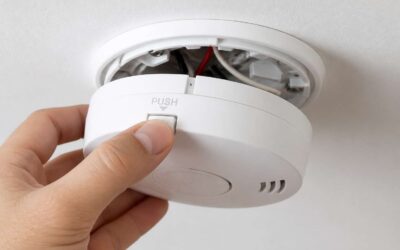
Once the app is configured, you can pair the device by scanning the QR code. The entire process typically takes under fifteen minutes per unit, but rushing leads to mistakes. Secure the base plate tightly, then twist the detector into place until it clicks. After powering up, the unit will prompt you to run a test cycle. This is your chance to check the siren volume and ensure the voice announcement functions clearly through your Google Home speakers. Professional installation services are available, although most homeowners find the task manageable alone. The key is to read the manual before you start, not when you are stuck halfway up a ladder. Careful setup now prevents false alarms and silent failures later.
Step-by-Step Setup in Google Home App
After the base plate is locked to the ceiling, the only remaining friction lives inside the Google Home app. Open the app, tap the plus icon, and choose Set up a new device. The scanner finds nearby units immediately, but manual QR code entry bypasses the ambiguous discovery window altogether. Pairing smoke detectors google home follows this concise sequence:
- Assign the detector to the correct bedroom or hallway for voice alert accuracy.
- Enter the Wi-Fi password using a 2.4 GHz network, not the 5 GHz band.
- Let the firmware update complete, then run the siren test from the interface.
That chirp confirms the integration. I force each unit through a second siren test by pressing the physical test button as well, which verifies both control pathways. The smoke detectors google home profile holds the zone names, latest maintenance date, and battery history, so meticulous setup now keeps those records useful for months.
Connecting to Wi-Fi and Nest Account
Connecting your smoke detector to your Wi-Fi network is the pivotal moment. In South Africa, many routers broadcast on both 2.4GHz and 5GHz bands. The Google Home app expects a 2.4GHz connection for smoke detectors google home compatible devices. If your phone links to the 5GHz band first, the detector will fail to appear. Switch your phone’s network settings manually before you start.
Your Nest account serves as the command centre for all your alarms. Use the same email and password you rely on for other Google services. The pairing process involves a temporary handshake. The detector will create its own hotspot, and your phone will jump to it. Accept this transition. It is a standard security measure. Once the handshake completes, the device reports back to the Nest cloud.
- Launch the Google Home app and tap the plus sign.
- Select “Set up device” and wait for the scanning screen.
- Enter your Wi-Fi password carefully. The password field is case sensitive.
- After the network link, the app checks for firmware updates. Let this finish.
Firmware updates can take up to ten minutes on slower connections. Do not unplug the detector during this window. A power cut during an update can leave the device in a partial state. Once the update completes, the detector runs a speaker test. You will hear a loud chirp. This confirms the audio output works correctly.
For homes with thick brick walls, signal strength matters. Place the detector on a ceiling or high wall, but keep a clear line of sight to your router. If you have a mesh network, ensure the smoke detector connects to the nearest node. The Nest account then stores the connection history. This data remains available even after a reboot, so your smoke detectors google home setup stays persistent.
Positioning and Placement Tips
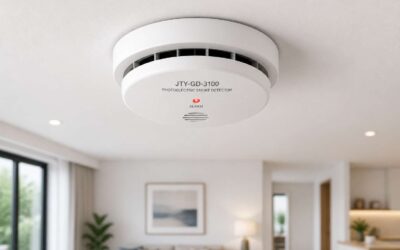
In a country where summer thunderstorms can knock out power for hours, the placement of your alarm becomes a matter of vigilance, not just convenience. The physical location of your device determines how quickly it detects a threat. Do not tuck the unit into a corner where smoke lingers in a pocket of still air. Ceiling mounting near the centre of a hallway is ideal, but avoid placing it directly above a stove or shower. Steam and cooking vapours will trigger false alarms, and over time, this desensitises you to the warning sound.
The architectural reality of South African homes often involves high, sloped ceilings or exposed wooden beams. These features create unique airflow patterns. Mount the detector on a flat, stable surface where the air circulates freely. For multi-storey homes, position the device at the transition point of the stairwell. This allows the unit to catch rising heat from the floors below. The signal strength between the device and your router is another variable. Thick plaster walls and metal window frames can degrade the connection, causing a lag in notifications to your phone.
Signal interference is a subtle adversary. The 2.4GHz band used by the device penetrates walls better than 5GHz, but it is crowded. Microwaves and cordless phones on the same frequency can cause micro-interruptions. Test the responsiveness of your smoke detectors google home system after installation by triggering a manual test. Observe how quickly the alert appears on your mobile device. If there is a delay, consider relocating the router or adding a mesh point.
– Avoid mounting near windows where direct sunlight heats the sensor and causes drift.
– Never place the detector in a dead air space, such as an unused corner of a room.
– Keep a distance of at least three metres from forced air vents in the ceiling.
A final consideration is the acoustic path. The detector must hear its own sound to relay it to other units in the system. If you place one in a large, open-plan living area, ensure the internal speaker faces the main occupancy zone. The hum of the day, the quiet of the night, both expose the true character of your smoke detectors google home. It stands watch, silent, until a whisper of smoke turns to a roar.
Integrating with Google Home Ecosystem
Using Voice Commands with Google Assistant
South Africans lose hours each week to load shedding, yet a smoke detector that answers back feels like a small victory. With smoke detectors google home, the Google Assistant becomes your hands-free safety officer. You can ask it to run a status check or silence a false alarm without hunting for a ladder.
Try these commands once your units are online:
– ‘Hey Google, are the smoke detectors working?’
– ‘Hey Google, which alarm triggered?’
– ‘Hey Google, mute the kitchen detector for ten minutes.’
The Assistant parses your request and queries the detector’s status directly. It returns plain-language answers, not cryptic error codes. This works best when you name each unit by room during setup. Vague names like ‘bedroom’ confuse the Assistant. Be specific: ‘north bedroom’ or ‘main passage’. This matters during load shedding when you cannot rely on your phone’s battery.
Creating Automation Routines
Picture this: it is 2 AM, Eskom has just pulled the plug, and your house is pitch black. You smell something burning, but your phone is dead, and you are fumbling in the dark. This is where the magic of automation truly shines. By integrating smoke detectors google home routines, you turn a simple alarm into a coordinated response system. Instead of just screaming into the void, your smart speaker can now switch on every light in the hallway, unlock the front door, and broadcast a clear evacuation message through the entire house.
Setting this up requires a bit of tinkering in the Google Home app, but the payoff is immense. You create a specific trigger phrase, like “emergency mode,” and then assign actions to it. However, the real power lies in the third-party integrations. You can link your smart detector with other devices, such as your thermostat, to automatically shut off the HVAC system. This prevents the spread of smoke through the air ducts. It is a level of proactive safety that a standard standalone alarm simply cannot offer.
To give you an idea of what is possible, consider these automated routines that pair perfectly with your existing hardware:
– Silence non-critical alerts and read the exact sensor location to your family.
– Automatically send a push notification to every household member’s smartwatch.
– Turn on the bathroom exhaust fan to clear out minor cooking smoke before the alarm escalates.
The beauty of this system is that it requires zero physical interaction. You walk through the front door, and your house is already in a defensive posture. It is about creating a seamless web of safety that operates on its own. By connecting your smoke detectors google home integration, you are no longer relying on a single noisy device; you are commanding a full safety network that reacts to the environment, not just the noise.
Linking with Google Nest Hubs and Displays
Your smoke detector’s voice is your safety net — a guardian angel that watches over your family even when you can’t. But a silent guardian is just a plastic ornament on your ceiling. The true magic unlocks the moment that detector finds its voice. And in a modern smart home, giving it that voice means handing the microphone to your Google Home. This isn’t just about convenience; it’s a critical upgrade for your home’s first line of defense against fire.
The Concept: Smart Detection Meets Smart Announcement
Integrating your smoke detector with Google Home transforms a one-dimensional alarm into a two-way communication system. Instead of just a loud, jarring siren that leaves you confused about the source, your Google speaker or display becomes the household’s public address system. It tells your family exactly where the danger is, turning a moment of panic into a coordinated evacuation.
Voice as a Lifeline: More Than Just Notifications
A simple notification on your phone is helpful, but a voice announcement is immediate. Imagine your google home, in a calm but firm voice, saying, “Critical Alert: Smoke detected in the kitchen. Please evacuate using the nearest exit.” In a chaotic situation, this clarity can save precious seconds. When every second counts, a calm, informative announcement can guide your family calmly to a safe meeting point, preventing secondary issues like smoke inhalation.
Eliminating the Guesswork
The real game-changer is context. With a standard detector, you can hear the beep but you still have to work out what is going on. But with smart one, you and your family can hear exactly what is happening. This smart approach means you are no longer relying on a single device but commanding a full safety network that not only reacts to the environment but also spreads the alerts across your home, ensuring no matter where you are, you are never caught off guard.
Evolving with Your Home
This integration also opens the door to “Scenes” and “Automations.” You can link your smart detector with your other devices. For example, you can connect your smart smoke detector to your smart lights, turning them red to signal an emergency, or triggering a broadcast to every room, making your entire home a fully integrated safety ecosystem.
The Benefit: From Notification to Action
This goes beyond simple notifications. Your smart home can now automatically unlock your doors during a fire to allow for a swift exit, or you can link your smart smoke detector with other devices, such as your thermostat, to shut off the HVAC system to prevent the spread of smoke. This is a level of proactive safety that a standard standalone alarm simply cannot offer.
A Smart Smoke Detector with Google Home
Google Home isn’t just a speaker; it’s the orchestrator of your safety. By integrating your smoke detector, the Google Home app becomes the central hub for your household response. In the moment of danger, it does not just sound the alarm and startle you out of bed; instead, you can use it to transform a simple fire drill into a smarter, safer, and more proactive system that works for your family, not just for you.
Adding a Life-Saving Voice
Building a smarter, safer home is a smart thing to do. It is about empowering your whole household, not just yourself. Your safety is not just a health need but a lifestyle. By integrating your smoke detector with your Google Home, you can build a better, safer home. Your Google Home isn’t just a speaker; it’s the orchestrator of your entire safety ecosystem. The keyword here is you can craft a system that is more than the sum of its parts, but when the siren sounds, yours will act as the final, authoritative voice of calm and safety.
Multi-Room Alerts and Grouping
The average South African home has 5 rooms, yet most families rely on a single siren to communicate danger. That cacophony does not tell you where the problem is. It just tells you there is one. Integrating smoke detectors google home changes this entire dynamic. By grouping your devices in the Google Home app, you turn scattered hardware into a unified response network.
Your kitchen Nest Protect links with the speaker in your bedroom. The hallway detector pairs with the display in the living room. This grouping allows for multi room alerts that follow your family. You could be in the garden, your child in the study, and your spouse in the garage. The announcement reaches all of you simultaneously through the nearest smart speaker.
The Google Home ecosystem treats your home as a single environment, not separate zones. You assign each detector to its specific room during setup. This room assignment matters. When the system triggers, the alert identifies the origin. Your family hears the specific location. They know the danger is in the laundry, not the lounge.
The grouping feature also supports custom responses. You can select which speakers broadcast the emergency. Maybe the baby monitor room needs a softer announcement to avoid distress. Maybe the home office needs a louder, more urgent tone. The control sits in your hands.
Smart speakers on the Google Home platform become redundant safety layers. If one speaker fails, the next one picks up the broadcast. This redundancy matters during a crisis. You want your smoke detectors google home setup to act with authority, not hesitation. A single point of failure is the enemy of safety. Grouping on the Google Home app eliminates that weakness, creating a web of alerts that covers every corner of your property.
Troubleshooting and Maintenance
Common Connectivity Issues
Even the best smoke detectors google home units occasionally drop off the network. When a detector goes offline, the first suspect is often Wi-Fi congestion. South African households run many devices on the same band, and a simple channel shift can restore the connection.
Another common culprit is interference from thick walls or metal roofs, common in older homes. If the unit keeps blinking amber, move the router closer or add a mesh node. Verify the detector’s firmware is current through the app.
- Restart the detector and router separately
- Confirm the 2.4 GHz band is enabled
- Re-enter your Wi-Fi password
Also check whether your Nest account has authentication issues or the detector sits outside the router’s range. Most problems resolve with a clean re-pairing sequence, and your smoke detectors google home will return to full voice alert readiness.
Resetting and Re-Pairing
Resetting your smoke detectors and re-pairing them with Google Home can feel like a delicate dance. When the usual fixes fall short, a clean slate often works wonders. You are not erasing their essential function; you are merely refreshing their connection to your smart home ecosystem. It is a straightforward process that restores harmony quickly.
Begin the reset by removing the device from its mounting plate. Locate the reset button, typically a small pinhole or a recessed button on the back. Press and hold it for about ten seconds. You will hear a confirmation chirp, and the LED indicator will flash a specific pattern. This action clears the prior network settings and resets the unit to its factory state. Once the chirp sounds, the device is ready for a fresh start.
After the reset, the reconnection process begins. This part requires patience but pays off with a stable link.
1. Open the Google Home app on your mobile device.
2. Tap the plus icon to add a new device.
3. Select “Set up device” and choose “New devices.”
4. Follow the in-app prompts to put your detector into pairing mode.
5. The app will then search for and connect to your local Wi-Fi network.
Once the app finds the detector, you will confirm the connection code displayed on your phone. The entire process takes a few minutes. After reconnection, do not forget to test the alarm. Press the test button to ensure the chime sounds correctly and that the Google Home app registers the event. A successful reset and re-pairing session revitalizes your smoke detectors google home integration, ensuring they remain vigilant and responsive for years to come.
Regular Maintenance and Testing
Keeping your smoke detectors google home integration in top shape is not a set-and-forget task. It requires a small, consistent effort to ensure every chirp and alert is accurate. In a country like South Africa, where load shedding can cause power surges, a quick check of your units is a wise habit. You rely on these devices to protect your family, so give them the attention they deserve.
Regular Upkeep for Reliable Protection
A monthly routine is the cornerstone of effective maintenance. You do not need to be a technician to perform these simple yet vital checks. The goal is to catch small issues before they become silent failures. Here is a practical checklist to keep your system in peak condition:
– Press the test button on each detector to confirm the siren sounds loudly.
– Vacuum the vents and exterior to clear out dust and spider webs.
– Verify the device status shows “Online” in the Google Home app.
– Check the date on the unit and replace the entire detector if it is older than ten years.
These steps take just a few minutes but offer the peace of mind that your early warning system is ready. Ignoring this upkeep can lead to nuisance alarms or, worse, a detector that fails to sound during an actual emergency. Consistency is your best defence.
Battery Health and Firmware Updates
The battery is the heart of your wireless detector. Most modern units will send a low battery warning directly to your phone, but you should not wait for that prompt. Schedule a battery replacement twice a year, perhaps when the clocks change or at the start of winter. This proactive approach prevents the dreaded 3 a.m. chirp that signals a dying power source.
Furthermore, keep the firmware updated through the Google Home app. These updates often include enhancements for sensor sensitivity and more reliable connectivity with your home network. By ensuring your devices run the newest software, you minimise the risk of lag in communication between the detector and the Google Home hub. A few minutes spent on updates ensures your smoke detectors google home ecosystem communicates instantly when it matters most.
The South African Context
Given the local grid instability, it is also prudent to ensure your Wi-Fi router is on a backup power supply. A detector is only smart when it can reach the cloud. If the power goes out and your router dies too, your detectors will function as standard alarms, but you will lose the remote notifications to your smartphone. Testing your setup during a scheduled load shedding period helps you understand exactly what happens when the lights go out.
Ultimately, the maintenance of your smoke detectors google home devices is a testament to your commitment to safety. A little elbow grease today guarantees that the watchful eye of your smart home never sleeps. Treat this routine as a necessity, not a chore, and your home will remain a fortress of safety for years to come.
Updating Firmware and Software
Every missed notification has a root cause, and often it is outdated firmware. Updating firmware keeps your smoke detectors google home responsive. Without current software, you risk delayed alerts or dropped connections during an emergency.
Open the Google Home app and check device settings. The app prompts when an update is available. If you see a recurring offline status, a firmware refresh often fixes it faster than re-pairing.
- Confirm your phone shares the same Wi-Fi network.
- Let the update finish without closing the app.
- Restart the detector after the process ends.
Treat updates as routine maintenance. They refine sensor communication and fix vulnerabilities in older versions. Your family’s safety depends on every component communicating correctly at the right moment.
Comparing Top Models
Google Nest Protect vs. Other Brands
In South Africa, the choice narrows to a handful of brands when pairing smoke detectors google home. The Nest Protect stands apart with its split-spectrum sensor, which distinguishes smouldering fires from fast-flaming ones. Competing units, like Aqara and Xiaomi, rely on a single optical sensor, so they respond slower to certain fire types.
- Nest Protect announces the hazard in a spoken voice; cheaper units only beep.
- Google Home shows the battery status and test history for the Nest, but other brands need separate apps.
- The Nest links to other Nest units over Thread, while competitors often require Zigbee hubs.
However, the Nest costs roughly three times more than basic alternatives. For renters or temporary setups, budget options still offer reliable alerts tied to Google Home. The premium buys early warnings and fewer false alarms from cooking steam.
Price and Value Considerations
The price gap between basic and premium smoke detectors google home in South Africa is not subtle. A standard unit might set you back a few hundred rand, while options like the Nest Protect climb past R2,500. That difference forces a real decision about what protection means to your household.
– A single Nest Protect costs about R2,799 at major retailers.
– Budget units from local brands start around R450 each.
– The Nest Protect requires no separate hub, while cheaper Zigbee units need one.
– Google Home integration is native for Nest, saving you from third party app clutter.
The value equation shifts when you consider the sensors. Cheaper detectors use a single photoelectric chamber, which catches slow smouldering fires but misses fast burning ones until they escalate. The Nest Protect splits its detection across two wavelengths, catching both types early. For a family sleeping upstairs, that extra sensitivity matters.
Battery life also plays into long term cost. Budget units often need new batteries every year, which costs time and money. The Nest Protect runs for years on its sealed lithium pack. You pay the premium once, then forget about maintenance.
Renters should think differently. If you move every year or two, carrying a R2,800 detector between flats feels wasteful. A R500 unit still connects to Google Home, still sends phone alerts, and still beeps when smoke appears. The voice announcements and false alarm reduction are nice, but they do not save lives if you are already awake and alert.
Installation costs add another layer. The Nest Protect needs a wired connection for full functionality, which means hiring an electrician if you do not have existing wiring. Budget battery units stick to the ceiling with screws and work immediately. That hidden cost can tip the balance for many buyers.
The truth is that smoke detectors google home work well across price points. The expensive ones simply give you more information, fewer false trips, and smoother integration. The cheap ones handle the core job: they make noise when fire starts. Your budget and living situation determine which feature set actually matters.
User Reviews and Ratings
Let’s be honest, you can read specification sheets until your eyes glaze over since every box claims to be the best. The real story emerges in the months after installation, when the unit has faced burnt toast, steam from a boiling pot, and maybe even a genuine emergency. User reviews for smoke detectors google home reveal a clear pattern: the human experience differs from the marketing promise.
The Nest Protect consistently earns praise for its spoken alerts, which tell you the location of the danger and the type of threat. South African users frequently mention the pathlight feature, a soft glow that illuminates dark hallways at night. One reviewer in Cape Town noted the unit correctly identified steam from a shower, withholding the alarm while a budget detector in the same house had triggered a false evacuation.
Budget friendly options from local brands draw a different kind of loyalty. Owners appreciate the straightforward operation and the fact that a R450 device still reports to the Google Home app. The chief complaint involves false alarms from cooking, which forces users to either tolerate the noise or disable the unit entirelychers. That trade off appears repeatedly in reviews.
- Nest Protect users report fewer false alarms and value the voice announcements, but some struggle with the initial Wi-Fi setup.
- Budget unit owners prioritise low cost and simple installation, yet they often disable the alarm after repeated cooking triggers.
- Mid range Zigbee detectors satisfy users who already own a hub, though setup requires more technical patience.
The ratings gap between premium and budget smoke detectors google home narrows once buyers adjust their expectations. A family with a gas stove and an open plan kitchen will likely invest in the Nest Protect to preserve their sanity. A student in a rented studio simply needs something that works without ceremony. The reviews reflect those divergent lives, each searching for the same basic reassurance: a loud noise when trouble arrives. Neither perspective is wrong, but the choice becomes clearer when you read between the lines of user sentiment.
Making the Final Decision
Comparing smoke detectors google home models becomes a quiet conversation with your own habits. The Nest Protect speaks to you, while budget units rely on a siren. Both connect to the app, but the experience differs. A reviewer in Durban noted that his inexpensive detector handled burnt toast poorly, while the premium unit stayed calm. The Google Home app shows you everything, yet the hardware determines the daily reality.
When making the final decision, consider three things:
- How often do you cook with high heat?
- Do you need spoken alerts or is a siren enough?
- Will you maintain the Wi-Fi connection or lose patience?
The right smoke detectors google home matches the life you actually live, not the one the brochure assumes.

0 Comments